Automation And Scripting
Automation and scripting are powerful tools that can help to streamline repetitive tasks, improve efficiency, and reduce human error. Whether you are a software developer, system administrator, or IT professional, mastering automation and scripting can be a valuable asset for your career.

Automation refers to the use of technology to perform tasks without the need for human intervention. This can include everything from scheduling tasks to running scripts and executing commands. Automation can be used to automate repetitive tasks, such as backups, updates, and maintenance, or to perform complex tasks, such as data analysis and reporting. Automation can also be used to create custom workflows and automate business processes.Scripting, on the other hand, is the process of writing scripts that can be executed by a computer. A script is a set of instructions that can be executed by a command line interpreter or a scripting language interpreter. Scripts can be used to automate tasks, such as file manipulation, data processing, and system administration. Scripts can also be used to automate the execution of other scripts, creating a chain of scripts that can be executed in a specific order.
There are many different scripting languages that can be used for automation, including Python, Bash, Perl, and PowerShell. Each of these languages has its own strengths and weaknesses, and it is important to choose the right language for the task at hand. Python, for example, is a popular language for data science and machine learning, while Bash is commonly used for system administration tasks.

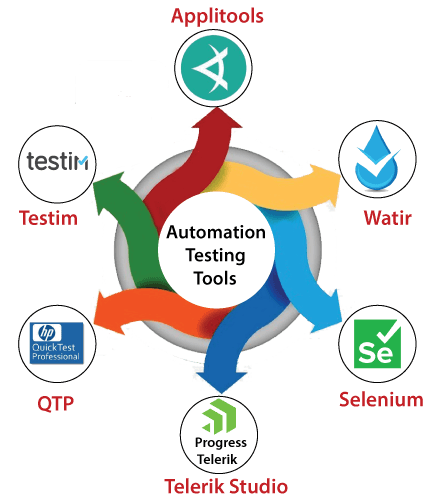
Automation and scripting can also be used to improve security. Automation can be used to monitor systems for security threats and alert administrators to potential issues. Scripts can also be used to automate security tasks, such as vulnerability scanning and patch management.
Another advantage of automation and scripting is that they can help to improve collaboration and communication within teams. Automation can be used to create custom workflows and automate business processes, making it easier for teams to work together and share information. Scripting can also be used to create shared libraries of reusable code, making it easier for teams to collaborate and share knowledge.
-----------------------------------------------------------------------------------------------------------------------------
There are a wide variety of automation and scripting tools available, each with its own set of features and capabilities. Some popular automation and scripting tools include:
Ansible: Ansible is an open-source automation tool that can be used to automate the deployment, configuration, and management of servers. Ansible uses a simple, human-readable language called YAML to define automation tasks, making it easy to learn and use.
Terraform: Terraform is an open-source tool that can be used to automate the provisioning of infrastructure as code. Terraform uses a simple, human-readable language called HashiCorp Configuration Language (HCL) to define infrastructure, and it can be used to manage infrastructure across a wide variety of cloud providers, including AWS, Azure, and GCP.
Puppet: Puppet is an open-source automation tool that can be used to manage the configuration of servers and other infrastructure. Puppet uses a declarative language to define configuration, and it can be used to manage infrastructure across a wide variety of operating systems and platforms.
Chef: Chef is an open-source automation tool that can be used to manage the configuration of servers and other infrastructure. Chef uses a Ruby-based domain-specific language to define configuration, and it can be used to manage infrastructure across a wide variety of operating systems and platforms.
Python: Python is a popular, open-source programming language that can be used for automation and scripting. Python is known for its simple and easy-to-read syntax, making it a popular choice for beginners and experienced programmers alike.
Bash: Bash is a Unix shell that can be used for automation and scripting. Bash is commonly used for system administration tasks, such as file manipulation and data processing.
PowerShell: PowerShell is a scripting language and automation framework developed by Microsoft. It is commonly used on Windows-based systems for automation and management of various system components.
Jenkins: Jenkins is an open-source automation server that can be used to automate the building, testing, and deployment of software. Jenkins can be used to automate a wide variety of tasks, including the execution of scripts, and it can be integrated with a wide variety of tools and services.
Selenium: Selenium is a open-source automation tool for testing web applications, it can be integrated with a variety of programming languages such as Python, Java, C#, Ruby.
These are just a few examples of the many automation and scripting tools available. The right tool for you will depend on your specific needs and the tasks you are trying to automate.
-----------------------------------------------------------------------------------------------------------------------------
One of the main challenges of automation and scripting is that they can be difficult to learn and master. Scripting languages can be complex, and it can take time and practice to become proficient in a particular language. Additionally, automation and scripting can be difficult to debug and troubleshoot, as errors can be difficult to identify and fix.
-----------------------------------------------------------------------------------------------------------------------------
There are many online courses available that cover automation and scripting tools, and some popular platforms that offer such courses include:
Udemy: Udemy offers a wide variety of courses on automation and scripting tools, including courses on Ansible, Terraform, Python, Bash, and more.
Coursera: Coursera offers a wide range of courses on automation and scripting tools, including courses on Python, Linux, and more.
Pluralsight: Pluralsight offers a variety of automation and scripting courses, including courses on Ansible, Terraform, PowerShell, Jenkins, and more.
edX: edX offers a variety of automation and scripting courses, including courses on Linux, Python, and more.
LinkedIn Learning: LinkedIn Learning (formerly Lynda) offers a variety of automation and scripting courses, including courses on Ansible, Terraform, Python, Bash, and more.
Codecademy: Codecademy offers interactive online courses on Python and other programming languages that can be used for automation and scripting.
Khan Academy: Khan Academy offers a variety of courses on computer science and programming, including courses on Python that can be used for automation and scripting.
Code.org: Code.org offers a variety of resources and tutorials on computer science and programming, including resources on Python that can be used for automation and scripting.
These are just a few examples of the many online courses available, and there are many more platforms and resources available. Be sure to check the reviews, ratings and curriculum of the course before enrolling.
-----------------------------------------------------------------------------------------------------------------------------
In conclusion, Automation and scripting are powerful tools that can help to streamline repetitive tasks, improve efficiency, and reduce human error. Whether you are a software developer, system administrator, or IT professional, mastering automation and scripting can be a valuable asset for your career. With the right knowledge and practice, you can use automation and scripting to improve your workflows, improve security, and enhance collaboration within your team.
Comments
Post a Comment